Crash Out!
A downloadable game
School life is tough. Why not make it an RPG?
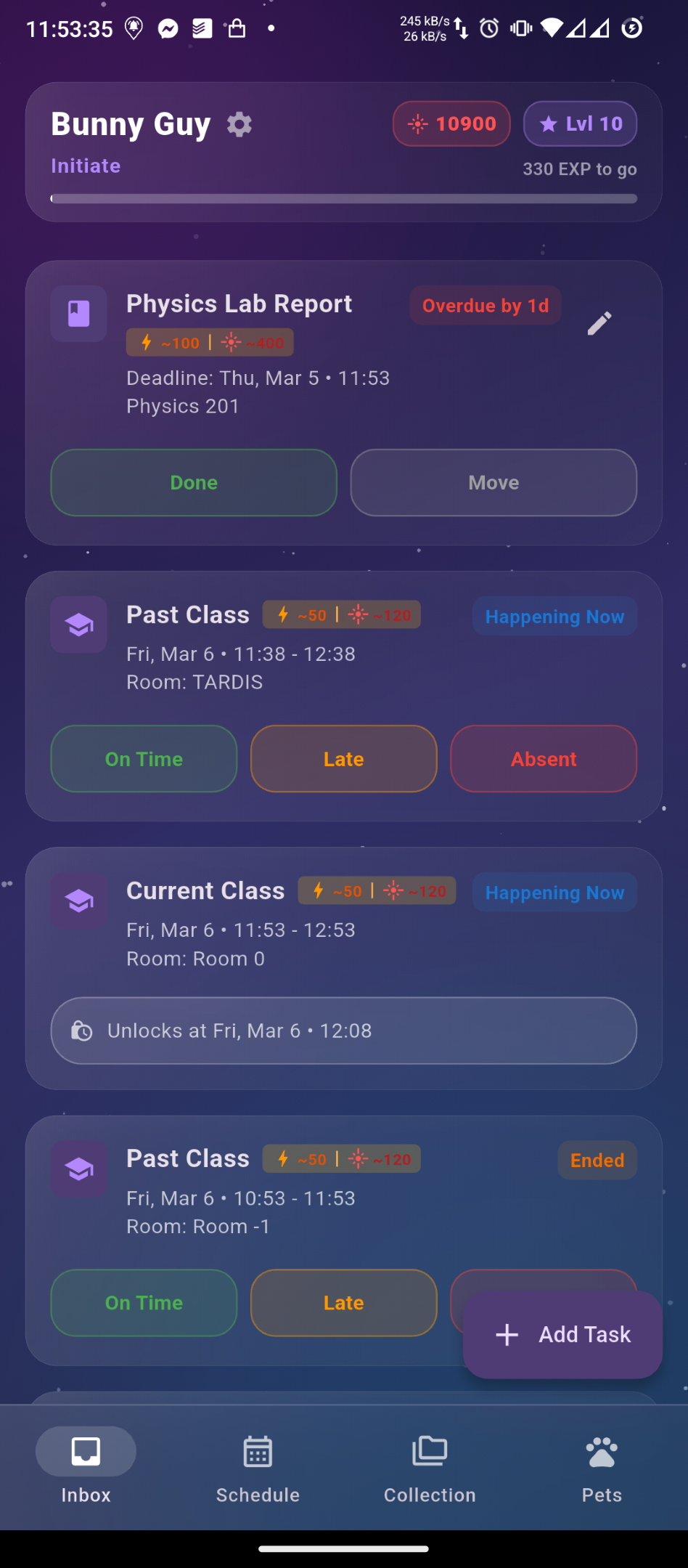
Crash Out! is the ultimate gamified student planner that turns your daily school life into an exciting Gacha Game! Say goodbye to your stressful school life and hello to your leveling up life! Attend your classes, complete your school assignments, and pass your exams to gain EXP and rise to the top (from Novice to Absolute) and Laser Pointers to take down spaceships for the Summons Gacha!
✨ Main Features:
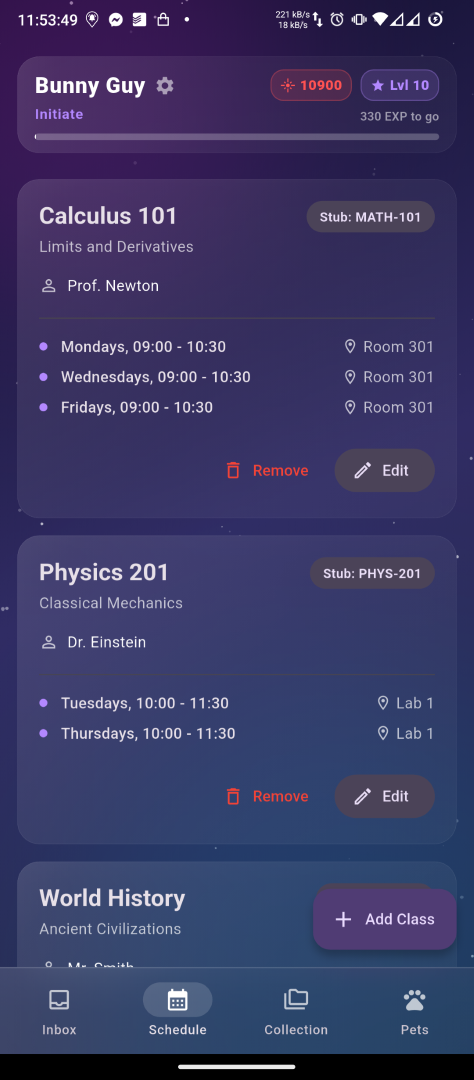
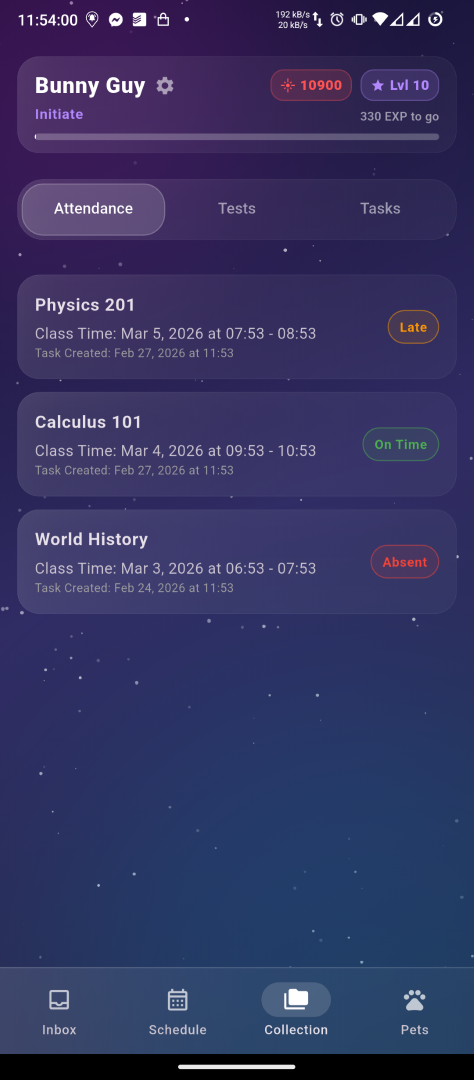
- Complete Schedule Management: Track your classes, tasks, and tests with ease. Get reminded 15 minutes before a class starts or when a deadline is near.
- Level Up Your Life: Earn EXP points based on your performance. Turn in an assignment early? Get bonus EXP points! Passed a test? Get huge EXP points! Missed a class? Better prepare for the penalty!
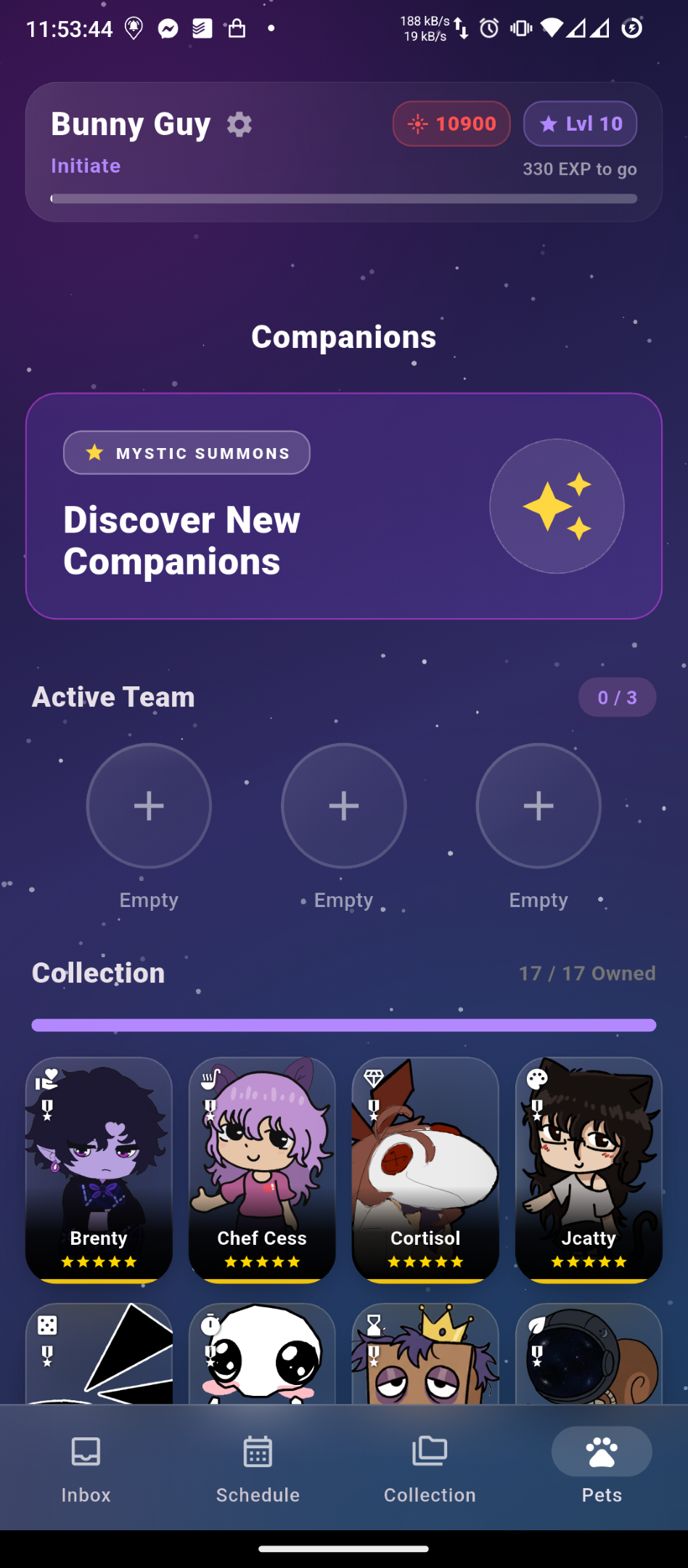
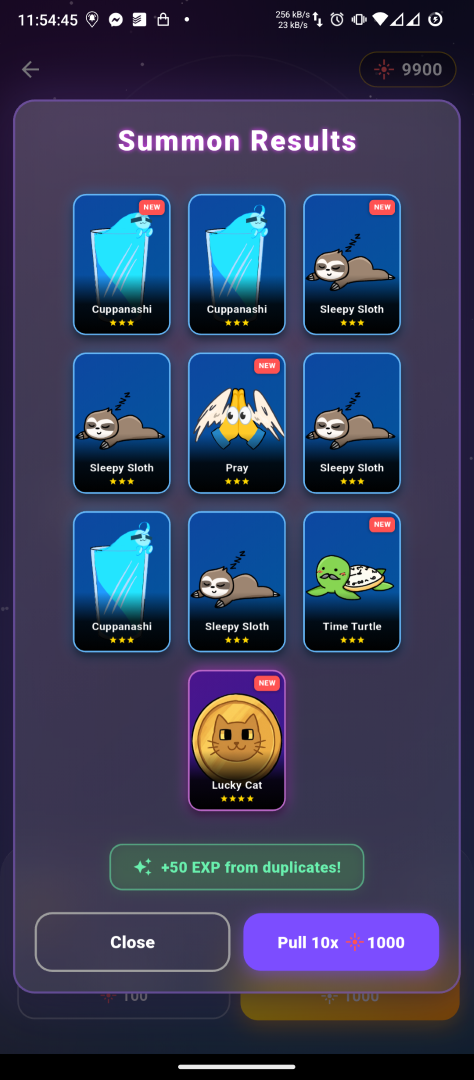
- Mystic Gacha System: Spend your hard-earned Laser Pointers to get Common, Rare, and Epic pets! We also have a built-in pity system to ensure your hard work pays off!
- 15+ Unique Companions: Collect pets that suit your play style!
- 🐎Cortisol: High stakes! Triples your rewards if you get over 90% on a test, or gets you absolutely nothing if you get less!
- ≧◡≦ Pwetty Pwease: A built-in timer for you to focus and get rewards! Stay on the app and you'll get rewards, or lose your progress if you leave the app!
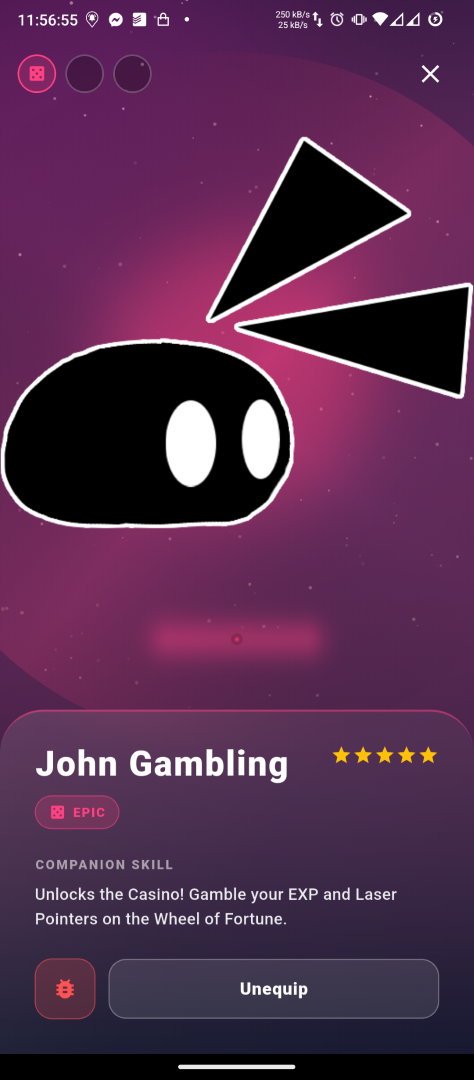
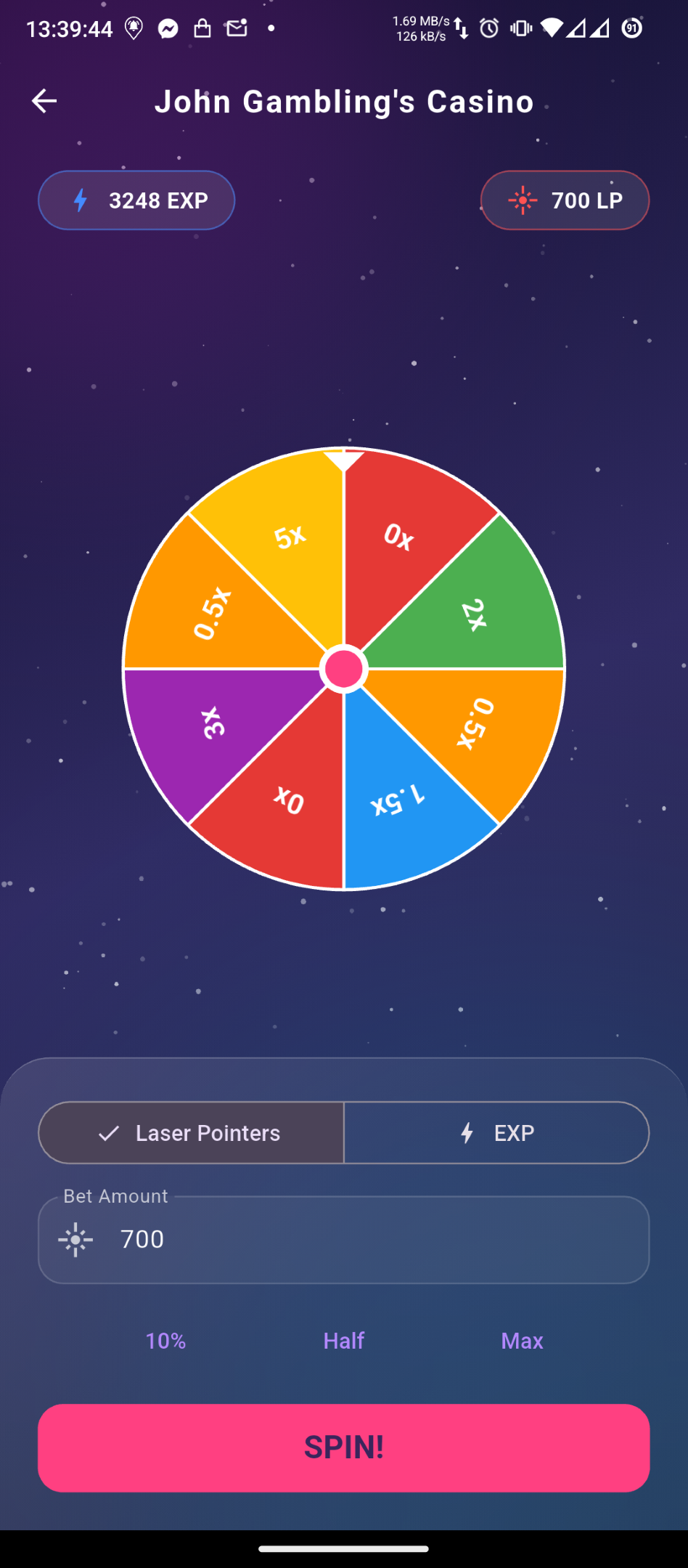
- 🎰 John Gambling: Do you feel lucky? Spin the wheel to multiply your rewards or lose everything!
- 💧Cuppanashi: Randomly spawns hydration tasks to keep you healthy!
- 🙏 Pray: Pray
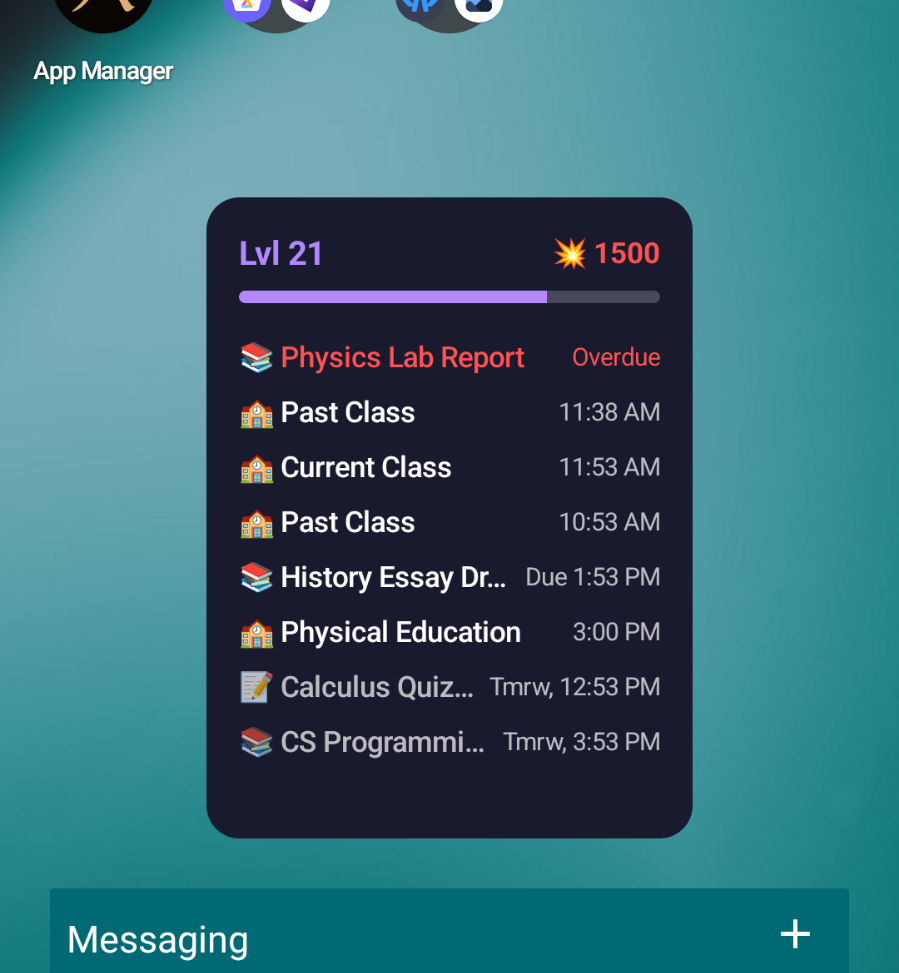
- Home Screen Widget: Monitor your current Level, Laser Pointers, and (overdue, upcoming, tommorow) tasks and classes directly on your Android home screen!
Don't just survive the semester, dominate it! Crash Out! today!
Download
Install instructions
To install the game on your Android device, you need to perform the following steps:
- Download the APK: Click on the download button on this page to download the game.
- Locate the File: Open your device's "Downloads" folder or use a File Manager app to locate the file you've downloaded.
- Allow Unknown Sources: Tap the APK file to open it. If you're installing an app for the first time, your device will prompt you to allow the installation of apps from unknown sources.
- Tap Settings on the prompt.
- Toggle on "Allow from this source."
- Tap the back button to go back to the install prompt.
- Install: Tap Install and wait for the installation to finish.
- Permissions: First time opening the app, you will be prompted to allow notifications and exact alarms, so you will be reminded of your classes, assignments, and surprise pet interventions!
- Add the Widget (Optional): Long press on your home screen, and navigate to the widgets section to add the Crash Out! widget and get your live student task and statistics on your home screen.
No internet connection is required to play the game, and your data will be stored on your device!
Leave a comment
Log in with itch.io to leave a comment.